

// guide
Extract typed data from any website using Pydantic and Stagehand
Learn how to reliably extract typed data from any website using only 50 lines of code.
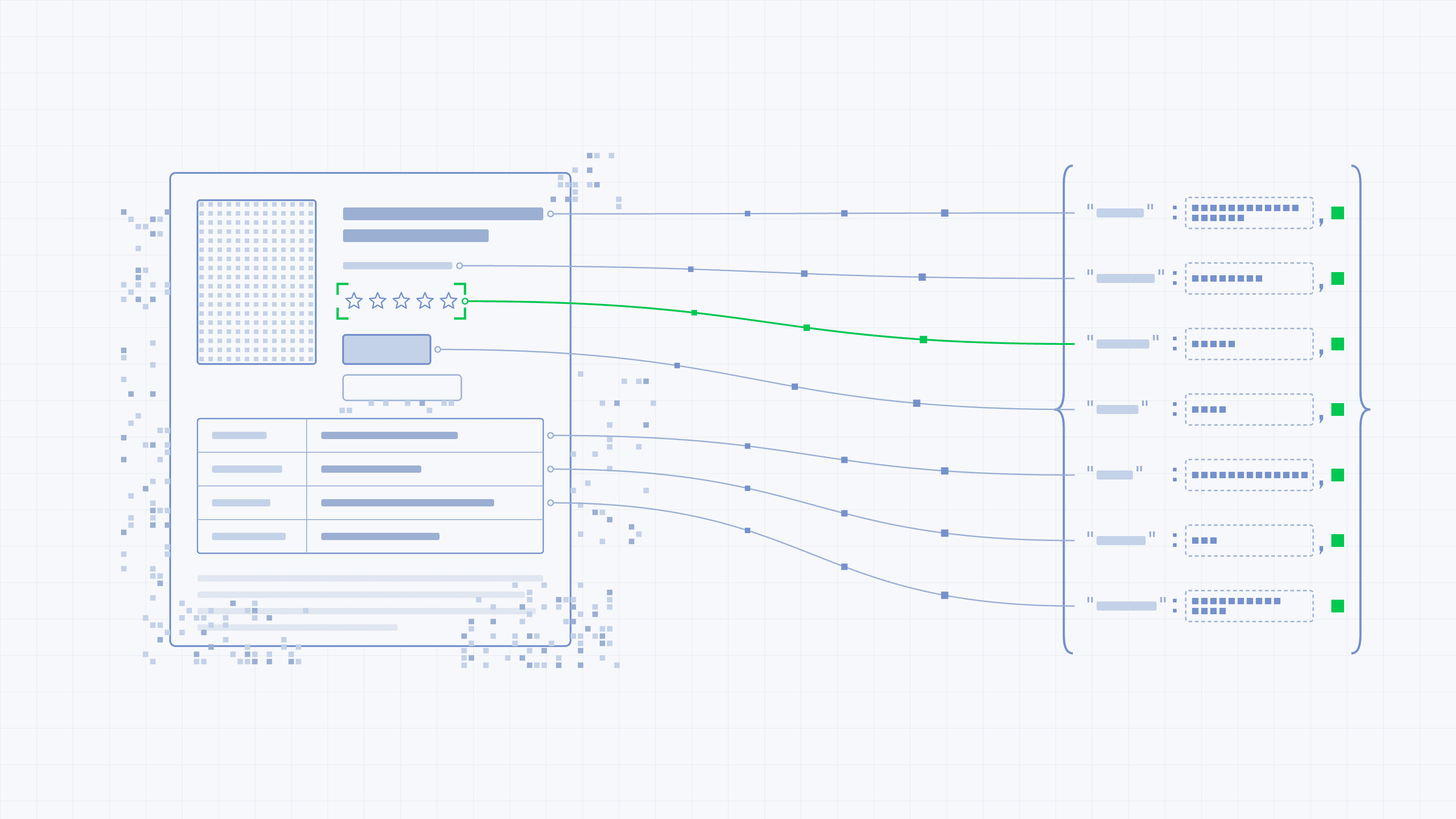
LLMs now routinely access the web to compensate for their knowledge cut-off, and while Pydantic provides a framework to handle typed data in Python, it does not solve the encoding part: transforming HTML or rich web pages into structured data.
In this tutorial, we'll combine Pydantic with Stagehand, a browser automation SDK, to reliably extract typed data from any website using only 50 lines of code.
Start from the model#
Our tutorial demonstrates how to extract book information from books.toscrape.com.
Let's start by creating our Pydantic Book model listing book attributes:
from typing import Literal

from pydantic import BaseModel, Field

class Book(BaseModel):
    title: str = Field(description="the book's title")
    price: float = Field(description="the price as a number, without the currency symbol")
    currency: Literal["GBP", "USD", "EUR"]
    rating: int | None = Field(
        default=None, ge=1, le=5,
        description="star rating out of 5, or null if the page doesn't show one",
    )
    in_stock: bool
    stock_count: int | None = Field(default=None, description="number of copies available, if stated")
    upc: str | None = Field(default=None, description="the UPC code from the product information table")
Looks pretty familiar, right? But you can already spot some specificities of the Pydantic Stagehand integration:
Descriptions act as prompts and guide the model field by field.
"Without the currency symbol" next to price is more precise than the same sentence in a long instruction, and it stays with the field when you reuse the model.
Types and constraints act as runtime checks.
Literal limits currency to three values. The ge=1, le=5 bounds reject a rating of 7. Stagehand validates against the model before returning, so out-of-range or wrongly typed values don't reach your code.
Optional fields give the model a way to say "not on the page."
rating, stock_count, and upc default to None, and the descriptions say when to use them. Without that option, a model asked for a required field tends to produce a plausible value rather than nothing. The "Handling edge cases" section below covers how to tell the difference.
The Pydantic model acts as both a typing and runtime-checking contract that Stagehand leverages to inform the model about the expected structure of the data to extract.
Let's now set up the extraction logic using Stagehand.
Setting up the extraction#
First, let's install the stagehand package (which installs pydantic as a dependency):
python3 -m venv .venv && source .venv/bin/activate
pip install stagehand
The below script performs the extraction by leveraging our previously defined Book model:
import asyncio
import os

from pydantic import BaseModel
from stagehand import Stagehand, local_browser

URL = "https://books.toscrape.com/catalogue/a-light-in-the-attic_1000/index.html"

class Book(BaseModel):
    ...  # the model defined above

async def main() -> None:
    browser = await local_browser.launch()
    try:
        stagehand = await Stagehand.create(
            browser=browser,
            model="anthropic/claude-sonnet-5",
            model_api_key=os.environ["ANTHROPIC_API_KEY"],
        )
        try:
            page = (await browser.context.pages())[0]
            await page.goto(URL)

            result = await stagehand.extract("extract the book's title and price", Book)
            print(result.data)
        finally:
            await stagehand.close()
    finally:
        await browser.close()

asyncio.run(main())
Stagehand's SDK acts as a driver between our Python script and the local browser (Chrome) instance. Instead of navigating through a forest of selectors (like Playwright scripts usually do), Stagehand exposes an extract() method taking 2 parameters: a prompt and a Pydantic model.
Above, result.data is a Book instance, already validated, which is printed as below:
title='A Light in the Attic' price=51.77 currency='GBP' rating=None in_stock=True stock_count=22 upc='a897fe39b1053632'Everything looks right, except the rating that came back as None. Let's dig into this issue.
When the data is only visual#
On books.toscrape.com, the rating looks like this in the HTML:
<p class="star-rating Three">
    <i class="icon-star"></i>
    <i class="icon-star"></i>
    ...
</p>
The rating exists only as a CSS class and five star icons.
extract() reads the page through its accessibility tree, which describes what's on the page in terms of roles and text, and a class name isn't part of it. When we benchmarked six ways of showing a page to an LLM, both agent libraries we tested missed this exact field, Stagehand included.
This can be easily fixed by turning on the screenshot flag to let the model get an image of the viewport along with the accessibility tree:
result = await stagehand.extract(
    "extract the product details, including the star rating shown under the price",
    Book,
    screenshot=True,
)
A little disclaimer about using screenshots: first, it captures the viewport, not the full page. If the data sits below the fold, you'll need to scroll it into view first. Second, it costs more and skips the cache. Each call sends an image, and visual extractions always bypass Stagehand's server-side cache because the cache key is built from the DOM, not pixels.
The general lesson: when a field keeps coming back None, check whether the information is in the page's text or only in its appearance. If it's only visual, screenshot=True is the fix; no amount of rewording the instruction will help.
Handling edge cases#
While Stagehand's extract() helps deal with any HTML changes that happened to the page, there are still some edge cases where extracting the data might require more complex interactions or might fail.
Missing, invalid, or wrong data#
A field can go wrong in three ways, and each needs a different fix.
| What you see | Likely cause | Fix |
|---|---|---|
| Validation fails | The value doesn't fit the type, like a price with a currency symbol in a float field | Add a description, or loosen the type and parse it yourself |
The field is None | The information isn't in what the model saw | Use screenshot=True if it's only visual |
| A valid value that's wrong | The model guessed | Only a comparison with known values catches it. For example, a manual review/QA. |
Invalid values are the easy case, because validation tells you. Stagehand converts your Pydantic model to a JSON schema and checks the model's output against it before returning.
You can handle them at runtime using the following exceptions:
from pydantic import ValidationError
from stagehand.rpc_client import RPCError

try:
    result = await stagehand.extract("extract the product details", Book)
except RPCError as e:
    print("output didn't match the schema:", e)
except ValidationError as e:
    print("a custom validator rejected it:", e)
Missing values usually mean the data isn't in the page text, or is only visible in how the page looks. Before rewriting the instruction, check what the model can actually see using Stagehand's observe() method to show you the elements it finds on the page:
observed = await stagehand.observe("find the star rating and the stock information")
print([element.description for element in observed.data])
Wrong values are the hard case. A rating of 4 passes validation whether the book has four stars or one. The only way to catch these is to perform a manual QA of your script, or to implement unit tests on known sources.
Lists, links, and pagination#
Our tutorial covers a simple use case: extracting typed data from a direct link. However, real-world (and useful) use cases often require achieving more complex extraction involving parsing lists or navigating pagination. Such use cases increase the number of SLOC but are clearly achievable using Pydantic and Stagehand.
First, we'll need to update our models to accept a list of books:
from pydantic import AnyUrl

class BookSummary(BaseModel):
    title: str
    price: float = Field(description="the price as a number, without the currency symbol")
    in_stock: bool
    url: AnyUrl = Field(description="link to the product page")

class Listing(BaseModel):
    books: list[BookSummary]
    has_next_page: bool = Field(description="whether a 'next' button is shown")
Note: Declare links as AnyUrl. Stagehand handles them differently from other fields: the model picks an element ID, and Stagehand looks up the real URL for that ID. You get the exact link from the page, not one the model retyped.
For pagination, let act() do the clicking:
all_books: list[BookSummary] = []

while True:
    result = await stagehand.extract(
        "extract every book on the current page only",
        Listing,
    )
    all_books.extend(result.data.books)
    if not result.data.has_next_page:
        break
    await stagehand.act("click the 'next' button")
"On the current page only" keeps each call to the books actually on screen.
Because act() clicks like a user, the same loop works on sites where products don't load through links. The webscraper.io test sites run one store several ways:
| Version | How more products load | The act() step |
|---|---|---|
| Pagination links | a link to the next page | "click the 'next' button" |
| AJAX pagination | buttons that load data without changing the URL | "click the next page number" |
| "Load more" button | a click appends products | "click the 'Load more' button" |
| Infinite scroll | products load as you scroll | "scroll down one page", repeated in your own loop |
With a pure fetch-and-parse scraper, the last three need custom code per site. Here, the first three only need a different instruction.
Infinite scroll needs one more step: each act() call performs one action, so nothing keeps scrolling until the feed runs out. Write the loop yourself and stop when a scroll doesn't load anything new:
seen = 0
while True:
    result = await stagehand.extract("extract every book currently loaded", Listing)
    if len(result.data.books) == seen:
        break
    seen = len(result.data.books)
    await stagehand.act("scroll down one page")
Each pass extracts everything loaded so far, so calls get larger as the page grows. On long feeds, extract only the newest items or cap the number of scrolls.
The full script#
Let's put it all together for a single product page:
import asyncio
import os
from typing import Literal

from pydantic import BaseModel, Field
from stagehand import Stagehand, local_browser

URL = "https://books.toscrape.com/catalogue/a-light-in-the-attic_1000/index.html"

class Book(BaseModel):
    title: str = Field(description="the book's title")
    price: float = Field(description="the price as a number, without the currency symbol")
    currency: Literal["GBP", "USD", "EUR"]
    rating: int | None = Field(
        default=None, ge=1, le=5,
        description="star rating out of 5, or null if the page doesn't show one",
    )
    in_stock: bool
    stock_count: int | None = Field(default=None, description="number of copies available, if stated")
    upc: str | None = Field(default=None, description="the UPC code from the product information table")

async def main() -> None:
    browser = await local_browser.launch()
    try:
        stagehand = await Stagehand.create(
            browser=browser,
            model="anthropic/claude-sonnet-5",
            model_api_key=os.environ["ANTHROPIC_API_KEY"],
        )
        try:
            page = (await browser.context.pages())[0]
            await page.goto(URL)

            result = await stagehand.extract(
                "extract the product details, including the star rating shown under the price",
                Book,
                screenshot=True,
            )
            print(result.data.model_dump_json(indent=2))
        finally:
            await stagehand.close()
    finally:
        await browser.close()

asyncio.run(main())
You can scale such a script to hundreds of concurrent sessions by running it on Browserbase, a cloud browser infrastructure, instead of a local Chrome. To do so, simply swap local_browser.launch() for browserbase.launch() with your Browserbase API key. Browser instances running on Browserbase benefit from near-local performance with in-depth observability with traces and video recordings.
Further reading#
Going deeper on extraction
- Extract: every option used here, plus targeted extraction with locators, link extraction, and troubleshooting for empty or inconsistent results.
- Observe: see which elements Stagehand finds on a page before you extract, useful when a field keeps coming back empty.
- Act: the actions behind pagination and scrolling, including the scroll actions available to
act(). - Using multiple tabs: running extractions on several pages in parallel.
- Browser configuration: switching from a local Chrome to Browserbase, and what changes when you do.
How Stagehand works
- Stagehand SDK reference: the full Python API, including
metrics(). - Engineering blog: Evolving computer use with code: why Stagehand v4 moved to letting models write browser code, and how its page snapshots work.
- MCP integrations: using Stagehand as a browser for agents in frameworks like CrewAI, Deep Agents, and Mastra.
- Source code (on GitHub): the Python SDK lives in
packages/sdk-python.